
Hello,
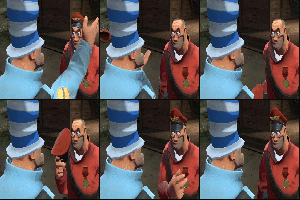
I created this account to mention this glitch. It occurs whenever the camera is in view of any of the US Units (Vehicles, Helos etc). It is extremely annoying and will actually cause my eyes to hurt after looking at it for a while. I hope this is a simple fix and please note that it occurs with both the default and tan camouflage patterns. Also, the misshapen texture is constantly re-misshaping (if that makes sense); to get what I am saying, please view this gif:
http://images.ezgif.com/tmp/ezgif_anima ... e05ad9.gif
This is real time and the textures will constantly continue to morph. This occurs no matter the camera angle, so long as it is moving.
The exact same soldiers, but from a different angle:
http://images.ezgif.com/tmp/ezgif_anima ... a1842a.gif
NOTE: Give the gifs a few seconds to load, for the full effect. Thanks for taking the time to read, hope this gets resolved.
Cheers!
EDIT: Vehicles also affected.
US Army and Marine Corps Graphical Glitch
Moderators: Developers, Auxillaries


-
The Soldier
- Gunnery Sergeant

- Posts: 254
- Joined: Sun May 12, 2013 8:56 pm
- Steam Username: The Soldier
- Location: New Jersey
Re: US Army and Marine Corps Graphical Glitch
You have your settings on Ultra, try reducing to High. It's a bug with the game engine, we can't do much about it since DX11 was never fully implemented or fixed for CoH.
"In the absence of orders, go find something and kill it."
~Erwin Rommel
~Erwin Rommel
Re: US Army and Marine Corps Graphical Glitch
Prime Bbcode Spoiler Show Prime Bbcode Spoiler:
Which settings do I need to reduce to High? Shaders is the only setting I have on Ultra.
Here's my settings:
http://i.imgur.com/cIeqrmV.jpg
Here's my settings:
http://i.imgur.com/cIeqrmV.jpg

EDIT: That did it! Moving Shaders from 'Ultra' to 'High' fixed all of the textures. Thanks mate.
Cheers!
-
I_am_a_Spoon
- Lieutenant Colonel

- Posts: 1480
- Joined: Sun May 05, 2013 10:58 pm
- Steam Username: I_am_a_Spoon
- Location: Perth, Western Australia
Re: US Army and Marine Corps Graphical Glitch
The shader setting is really the only one that needs to be set to high. The rest can be anything you want.